

Instead of rocking a website link you’re not sure if it’s actually helping you or not, I’ll tell you how to build a website that converts. This is going to help you so you can confidently share your URL knowing it’s pulling its weight.
Having a website alone doesn’t mean it will automatically bring in cash, especially if your website isn’t built strategically or as the kids like to call “built to convert”.
But a website built intentionally usually does mean more money!
Understanding what makes a “website that converts”
When people say you need a website that converts, what they’re really saying is that your website needs to encourage your visitors to take action. That could mean inquiring about your services, booking a call, buying an offer, joining your email list, or simply clicking through to the next page to learn more.
A website that converts isn’t just pretty to look at. It’s intentionally built to help the right people understand what you do, see why they should work with you, and know exactly what to do next.
Here’s everything you need to make sure your website is actually helping you land clients.
Get clear on your ideal client and offers
Before you even touch anything, you need to nail the groundwork first. Get clear AF on who you’re talking to and what transformation you provide.
The deeper you can get into who your target audience is, the easier it will be to make sure you’re put in front of people who are actively looking to buy from you.
In order to make sure your offers don’t get lost amongst your competitors, figure out what exactly the transformation you provide is. Your ideal client is going to come across several others in your industry, but telling them how YOUR offers are going to change their lives is what will make them want to work with YOU.
Getting clear on these parts first will set the stage for everything else you need for your website build. Skipping this part usually means you’ll end up feeling like you need to start from scratch and rebrand every 3 months (speaking from experience LOL).
Starting here builds the foundation for a website that’s built to convert, because it draws in the people you actually want to work with.
Plan your website pages
The pages you must have on your website as a service provider slightly vary, but the non-negotiables that help you sell your thing are:
- Home page
- About page
- Services page
- Contact page
- Link in bio page
These are the pages I include in my signature DFY web design offer because they are the base pages every service provider needs so their website converts. The more pages you include in your website, the more chances you have to end up in front of a dream client. Think of it like putting your name in a raffle, the more tickets with your name on it, the more chances you have of getting picked.
Additional website pages beneficial for service providers are:
- Sales page
- Portfolio page
- Lead magnet page
- Blog page
Check out the Important Website Pages You Didn’t Know You Needed for more ideas on what pages you can add to your website and what to include in them.
Every single page on your website has a different goal. Your job is to guide your potential buyer to get to know you, learn about your services, join your email list, and ultimately buy from you. Below is a guide on what the goal of each non-negotiable page of your website should have if you want a website that’s built to convert.
Home page
Your home page is often times their first impression of you and your business. It is your chance to woo your visitors and convince them to stay. You only have a few seconds to convince them they’re in the right place so you’ll need to bring your A game by showcasing your uniqueness.
About page
Your about page is going to be your time to shine. The spotlight is on you, but your website visitors want to know what’s in it for them and if you are the right person to invest in. This is your chance to humblebrag and tell your reader how and why you’re a good match for them. Check out the About Page Guide to Instantly Build Trust & Convert Visitors to help you write and structure your about page like a boss.
Services page
Your services page is where the magic happens. This page isn’t just about listing all the ways people can work with you, but actually selling your thing. Your website visitor wants to know what you’re selling, who its for, and why they need it.
The best services page answers the questions your ideal client may have, like what’s included, the timeline, your process, and any other specifics on what they can expect from working with you. Think of this as a sales page for all of your services.
Contact page
This is the page people will often end up on the closer they get to wanting to work with you. Go beyond a headline and contact form by inspiring them to reach out to you. This is the page where you turn casual lurkers into can’t-wait-to-work-with-you paying clients.
Link in bio page
Your link in bio is prime real estate. When your social media lurkers have taken the time to click the link in their bio, something you said online resonated with them and might be exactly what they’re looking for. Tell them what you do and how you can help them.
Adding a link in bio page directly inside your website gives you full control over how to direct your website visitors towards the sale (and one less subscription to pay for, amiright??).
Write copy that speaks to your ideal client
Now that you know your ideal client, your offers, and base site structure, it’s time to start writing the copy. The best way to write the words that go on your website is to have them speak to ONE person.
You can get website copy that converts a few different ways. Pick the best choice for yourself that fits your timeline, capacity, and budget.
Here are 3 ways to get this done:
- Website copywriting templates: I include a website copy template with every DFY web design project to help you figure out the words you need for your site and the proper order without adding an additional cost ORRRR you can buy website copy templates from other reputable website copywriters like this Wicked Easy Website Copy Guide I used when I first launched my website.
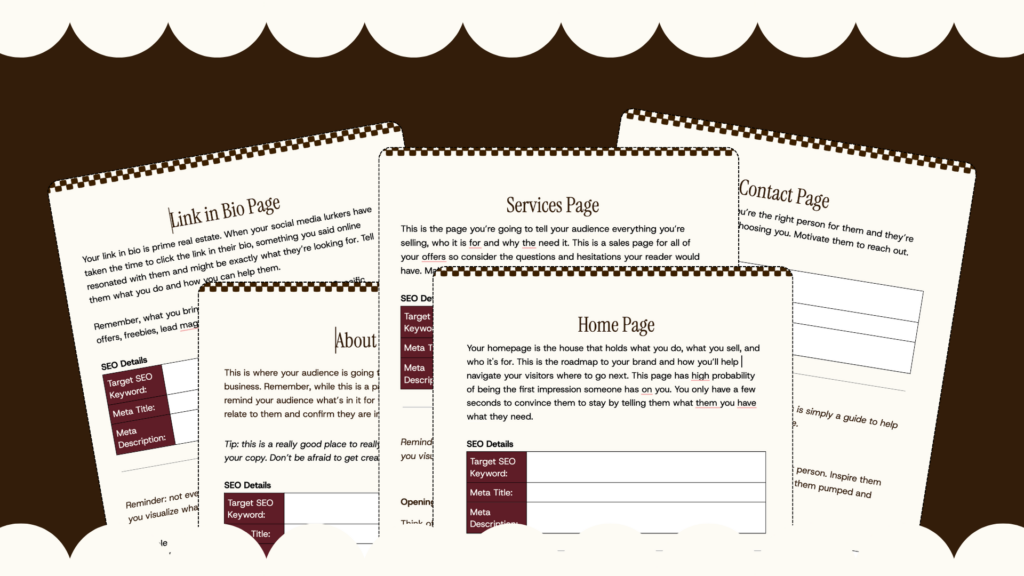
- DIY it: You can take website copywriting courses like this one or tackle it all on your own if you feel pretty good about writing about yourself and your business. You can also find alternative done-with-you-style copywriting services from your favorite copywriters if you just need some extra support in writing your own website copy without having to pay to completely outsource it.
- Hire a copywriter: hiring a copywriter that is able to write about you and your business through a different lens is oftentimes the most alleviating part of this whole process. Find a copywriter that is experienced in website copy, in your industry (either as a service provider or your specific niche), and who you connect with. This is an incredibly important part of the process, so I wouldn’t pass the torch to just anybody.
Avoid using AI when writing your website copy! I can guarantee, even if you’re not a writer, your brain can come up with something that’s way more fun, flavorful, and original than anything AI could ever make.
AI is a tool, not the replacement of a human expert.
Your website copy needs to be backed by strong SEO
If you’re going to write your own website copy in any capacity, before you go all in on the writing you’ll have to do some SEO research. Using the words people are actually typing in to their favorite browser (or bot) and naturally infusing those words into your website copy is how you’re going to make sure your website ends up in front of your ideal client.
Once your website is done, you’ll need to make sure your website is properly set up on the back end. Check out the SEO Dos and Don’ts for Service Providers to help you boost visibility and rank higher.
Create a strong visual brand identity
A strong and memorable brand identity is how you build a solid website that converts. Using the right words is half the battle, but the visuals are going to help pull the whole thing together. The colors and fonts you use on your website set the tone for your website visitors and tell them what to feel without actually telling them.
No matter what, you must infuse your personality into your visuals. It is how you will set yourself apart from the 500 others in your industry and build a website that converts. It’s what will help you show up authentically without feeling out of place. It should feel natural, exciting, and almost effortless.
Here are 4 ways to get this done:
- DIY it: Not everyone needs a branding expert to nail your visual identity. There are so many free and paid resources available to help you build your brand like The 8 Best Branding Strategies for Non-Designers or YouTube tutorials on where to start.
- Branding support: You can take branding courses that will help you nail your own branding (or how to design for others too if that’s the route you want to take for your business). There are some designers who offer DWY support so you can get the extra help you need.
- Mini branding kits: Using semi-custom branding kits that have already accessible color palettes and fonts that are legible and go well together is a great way to cut costs when doing your branding and still getting something beautiful and accessible that fits your business. This is another branding option I offer for my DFY website design clients.
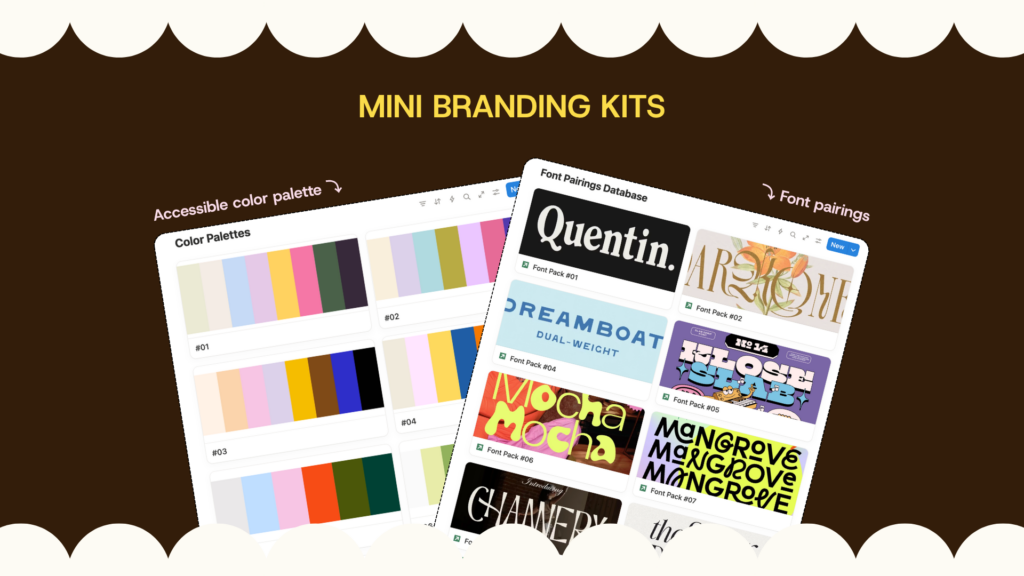
- Hire a brand designer: You can add on a branding package to your website project when you work with me. Find a brand designer that is experienced with your industry (either as a service provider or your specific niche), and who you connect with. Be picky about this one too!
I’m the type of designer who will work with whatever you provide me, whether it’s from what you DIY’ed or if you hired a pro.
Please – avoid AI at all costs for this! I can guarantee, even if you’re not a designer, your brain can come up with something that’s way more fun, flavorful, and original than anything AI could ever make.
AI is a tool, not the replacement of a human expert. And yes, I did put this disclaimer in here twice for a reason 👀
Intuitive navigation and clear calls-to-action
When you are structuring each section of your website pages, you’ll need to make sure you are giving your audience a smooth buyer journey. This means giving them the opportunity to take action after (nearly) every section on your website.
Depending on the purpose of each section, add a button to tell them what do do next – inquire, check out your services, read a blog post, go to your sales page, join your newsletter, buy your product… you get it lol
Your call-to-action buttons should be one of thee most obvious things on each section. Whether it is a fun button, pop of color, etc, it should be legible, clear, and obvious.
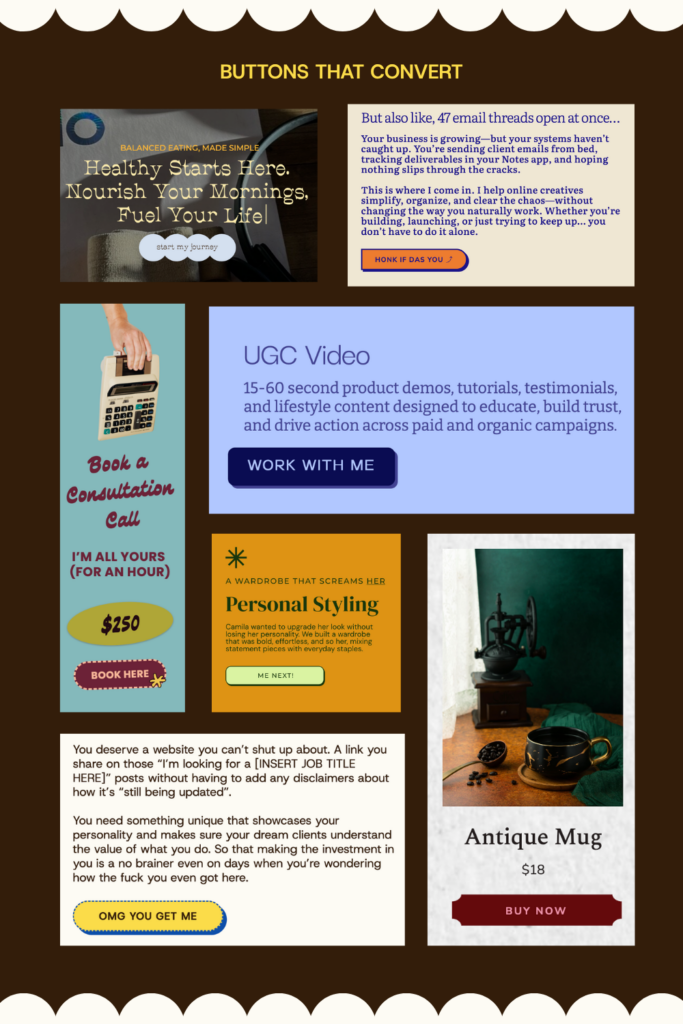
I recommend having a button available on nearly every section of each page, especially on sales pages! You never know at which point of the page you’ve convinced the reader to buy your thing. Adding multiple buttons reduces friction by making it easy af to pay you.
A common mistake I see across websites is not having enough call-to-actions across their website pages.
Start with this trick to get started: if you glance up to the top of this page, you’ll see I have my navigation menu sticky on top of the page so you can always navigate my website (or ya know, inquire to work with me 😏) no matter where you are on my website.
Need a step-by-step game plan?
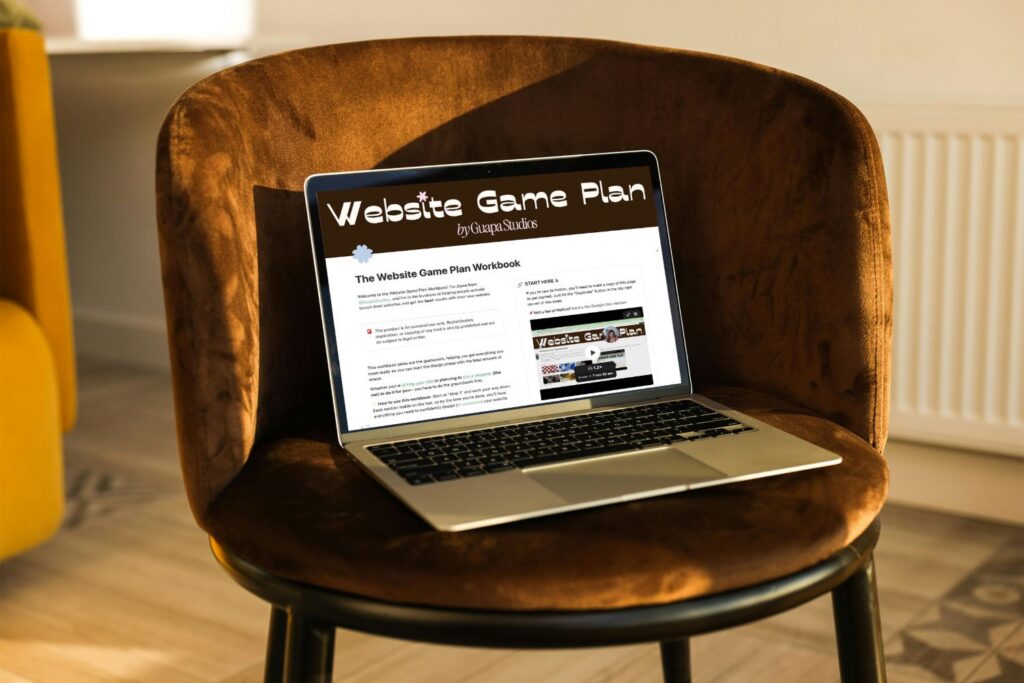
How you build a website that converts involves heavy planning and a lot of moving parts. That’s why I created the free Website Game Plan Workbook to help you create the perfect plan for your new website launch.
This Website Game Plan Workbook includes a space to:
- lay out the groundwork,
- set you up to write the right words for your website,
- help you create your brand identity,
- set up the back end of your business,
- and organize your assets
It follows the same formula I provide my clients before we get started on their website project. Whether you’re DIYing it all or hiring a professional for any parts of it, this workbook will help you prep for your new website project from beginning to end.
Orrrr get it ALL taken care of for you instead 😮💨
If you prefer to partner directly with a website designer like me, who will literally give you all the tools to help you prep??
Because the perk of hiring a designer is knowing you’re focusing your attention on all the right things, so you’re not figuring this all out on your own; fingers crossed it will work. You’ll know for sure that your website is set up for success.


Your website should help you stand out — and building fun, interactive sites for founders who’ve already made something for themselves, is what EYE do! Because the whole point of your site is to get your dream clients to act and see that you’re THEE person for them, that’s what I’m here to help you do. But things won’t move until you do…
(or, at least, that’s what my clients say)
The designer you wish you had found sooner
Hola, I'm Joyce!

This notion workbook helps you map out exactly what your website needs — before you start building. The website game plan was created to help you lay out everything you need from branding to copy to website must-haves. So you can stop second guessing and start building with confidence.
Prep for your website build without all the “omg am I missing something?” overwhelm
THE WEBSITE GAME PLAN

Every Wednesday, get my completely unfiltered 2 cents on the wins, the fuckups, and everything in between, from a Latina solopreneur figuring it out as she goes, too.
Serving you business (not) as usual

